Projectilemotion
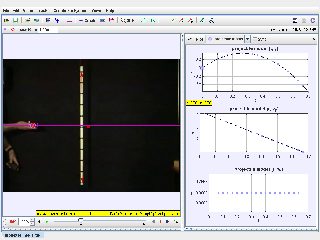
Use Projectilemotion as a Tracker model-building activity: compare measured video data with model tracks, parameters, initial values, and force functions to decide which assumptions fit the motion.
1. Watch or Launch
Launch the Interactive
Open the simulation, adjust the controls, and compare what changes on screen before answering the concept-check questions.
2. Big Ideas
What Students Can Learn
- Identify the measured track and the model track before comparing them.
- Read parameters, initial values, and force functions as assumptions in the model.
- Adjust one model parameter at a time and observe whether the fit improves.
- Use overlays, graphs, and residual mismatch to justify whether the model is plausible.
Guiding Question
Which model assumptions explain the measured motion, and what evidence shows that the model is a good or poor fit?
3. Try the Investigation
Inspect the Model
Open the Model Builder and read the model name, parameters, initial values, and force functions.
Predict the Track
Before changing values, predict how the model should move if its assumptions are correct.
Compare Fit
Run or overlay the model against the tracked data and compare path, velocity graph, or mismatch.
Revise Carefully
Change one parameter or force function at a time, then explain whether the evidence improved the model fit.
4. Teacher Notes
Lesson Use
Use this as a scientific modelling activity rather than only a video-analysis task. Students should state the model assumption, test it against data, and revise it if necessary.
Discussion Prompts
Ask: What is measured and what is modelled? Which parameter has physical meaning? Which force function or initial value controls the model behaviour? Where does the model fail?
Teaching Moves
Require a claim-evidence-reasoning response: the claim names the model, the evidence cites the overlay or graph, and the reasoning links the parameter or force function to the physics.
5. Concept Check
These questions are generated from the topic and the concept illustrated by the simulation. Use them after students have explored the model.
Concept Score
Correct first attempts build a streak and unlock higher point multipliers on this device.
1. What is the purpose of a Tracker model-builder track?
2. What do parameters and initial values represent?
3. Why change one model parameter at a time?
4. What evidence should be used to judge the model?
5. What makes a strong model-building conclusion?
Expert Challenge
Unlocks after 3 correct concept-check answers on this page.
1. A model matches early frames but drifts away later. What is the best next step?
2. Why is a model with a named force function more than a curve fit?
3. What should students report when two models both look reasonable?
7. Learning Pulse
Anonymous activity shows this resource is being discovered, revisited, and used by learners in different places.
Where Recent Learners Are From
Country or region is inferred anonymously from server location headers when available. No names, accounts, or IP addresses are shown.