Teacher Demonstration
Use the live model as a shared screen demonstration before students try their own predictions and observations.
Explore Gyro Scope Simulator as an interactive EJS simulation for mechanics.
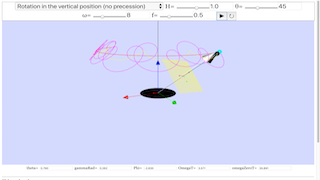
Use the live model as a shared screen demonstration before students try their own predictions and observations.
Open the simulation, adjust the controls, and compare what changes on screen before answering the concept-check questions.
How does changing mass distribution or applied torque affect the rotation?
Decide which object is rotating and where its axis is.
Compare cases with mass near the axis and farther from the axis if available.
Use angular speed, rotation rate, or visible turning as evidence.
Connect the observed change to torque and moment of inertia.
Use these models to make rotational inertia visible. Students often know F = ma but need the analogous idea that torque changes angular motion.
Ask: Where is the axis? Is mass close to or far from the axis? What does the same torque do in each case?
Ask for one linear-motion sentence and one rotational-motion sentence so students distinguish speed from angular speed.
These questions are generated from the topic and the concept illustrated by the simulation. Use them after students have explored the model.
Correct first attempts build a streak and unlock higher point multipliers on this device.
1. What is moment of inertia?
2. What does a net torque cause?
3. Why does mass distribution matter?
4. What is angular speed?
5. What evidence supports a rotational-motion claim?
Anonymous activity counts show that this resource is being discovered and used.