Teacher Demonstration
Use the live model as a shared screen demonstration before students try their own predictions and observations.
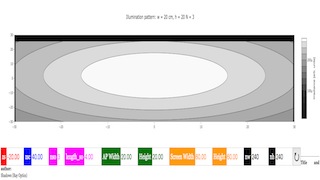
Explore EXERCISE 2: IRRADIANCE DUE TO N N POINT SOURCES WITH A RECTANGULAR APERTURE Has Bug as an interactive EJS simulation for waves and optics.
Use the live model as a shared screen demonstration before students try their own predictions and observations.
Open the simulation, adjust the controls, and compare what changes on screen before answering the concept-check questions.
How do the two rotating input vectors and their components create the resultant vector path and the displayed pattern?
Turn on the resultant vector and compare the purple/orange resultant with the blue and red input vectors.
Use the table or component arrows to check how each vector's x- and y-components add to the resultant components.
Adjust one vector length or angle while keeping the other vector fixed, then observe how the resultant changes.
Use a preset such as heart, coil, circle, ellipse, flower, or four circles, then relate the traced path to the vectors' rotation rates.
Use this page to bridge vector addition and dynamic patterns. Students should not only admire the traced shape; they should explain it using lengths, angles, components, and the resultant vector.
Ask: Which components are being added? When is the resultant largest or smallest? What changes when one rotation rate changes? Why can two simple rotating vectors trace a complex pattern?
Start with vectors not rotating, then show components and resultant. After students can explain one static sum, use Play and pattern presets to extend the same addition idea over time.
The source code explicitly includes Vector 1, Vector 2, Resultant, x-component, y-component, length, angle, rotation rate, and pattern presets. These are the page-specific evidence to cite.
These questions are generated from the topic and the concept illustrated by the simulation. Use them after students have explored the model.
Correct first attempts build a streak and unlock higher point multipliers on this device.
1. What does the resultant vector represent?
2. What should students compare in the component table?
3. Why do vector lengths and angles matter?
4. What do the pattern presets help students investigate?
5. What is strong evidence from this model?
Unlocks after 3 correct concept-check answers on this page.
1. In a light-and-shadow interactive, what should students trace before explaining the shadow?
2. What feedback fits 'a larger shadow means the object got larger'?
3. What should students compare for transparent, translucent, and opaque objects?
4. How should students explain penumbra and umbra if shown?
5. What makes a shadow answer expert-level?
Anonymous activity shows this resource is being discovered, revisited, and used by learners in different places.
Country or region is inferred anonymously from server location headers when available. No names, accounts, or IP addresses are shown.