{source}
<?php  require_once JPATH_SITE.'/TTcustom/TT_contentparser.php';\(parameters = array("topicname" => "math", "modelname" => "ejss_model_tictactoefractionsfrem");echo generateSimHTML(\)parameters, "EJSS");
?>
{/source}
1. Introduction:
This briefing document summarizes the key features and functionalities of the "Bing Bang Go Fraction Game JavaScript Simulation Applet HTML 5," an interactive educational resource hosted by Open Educational Resources / Open Source Physics @ Singapore. This resource is designed for mathematics education, specifically focusing on fractions and number sense, presented in a game format. The applet is built using JavaScript and HTML5, allowing for embedding in webpages.
2. Main Themes and Important Ideas:
- Interactive Learning Tool for Fractions: The primary purpose of this resource is to provide an engaging and interactive way for students to learn about and work with fractions. By framing fraction manipulation within a game context, it aims to make learning more enjoyable and effective.
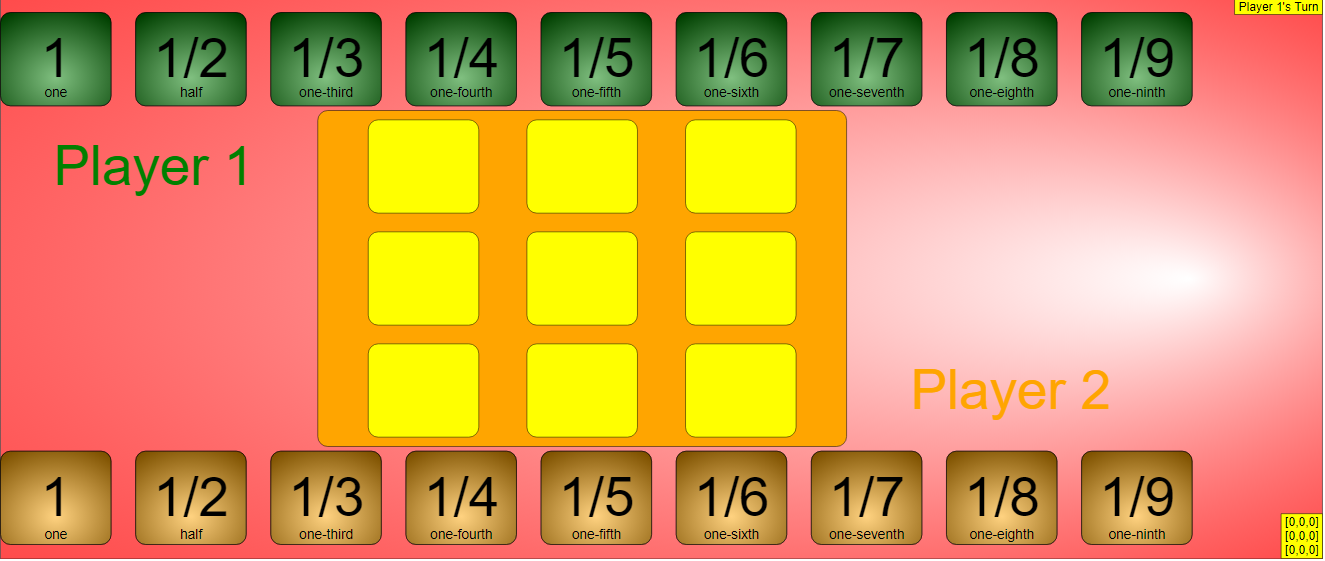
- Tic-Tac-Toe with a Fractional Twist: The game mechanics are based on the familiar Tic-Tac-Toe format. However, instead of simply placing Xs and Os, players manipulate fraction cards to reach a predetermined target number in a row (horizontally, vertically, or diagonally).
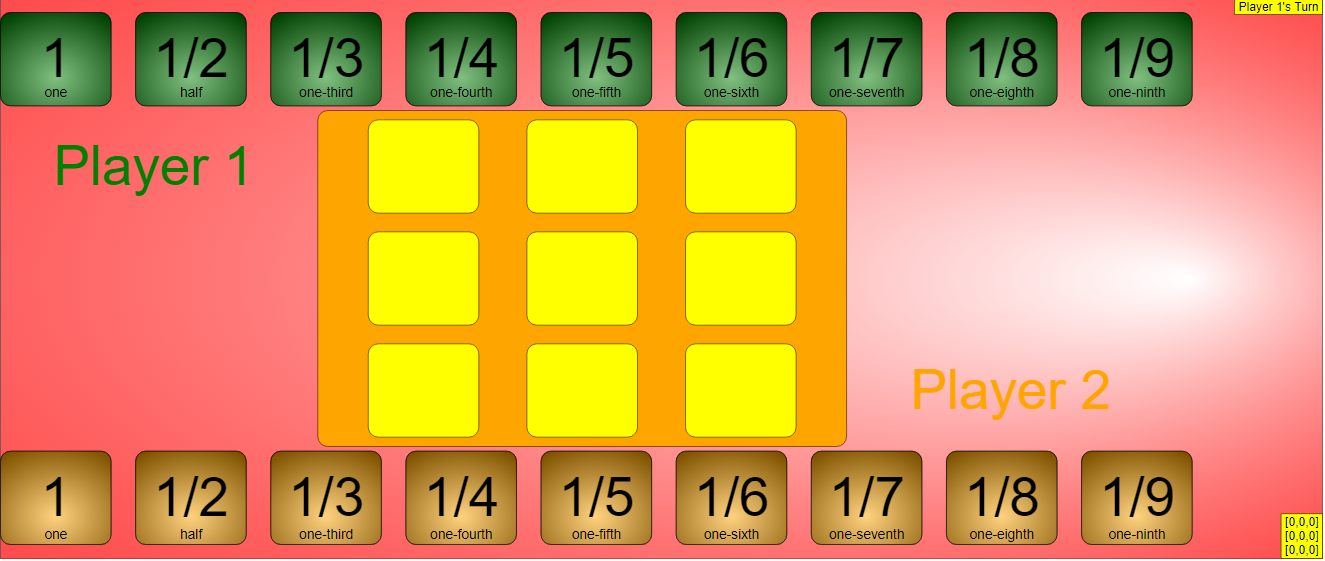
- Target Number Flexibility: The game allows users to set a "target number," which can be either a whole number or a fraction. This flexibility enables the game to be adapted for different learning levels and objectives.
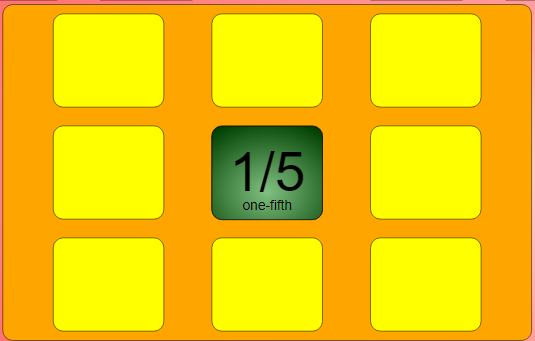
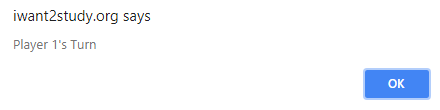
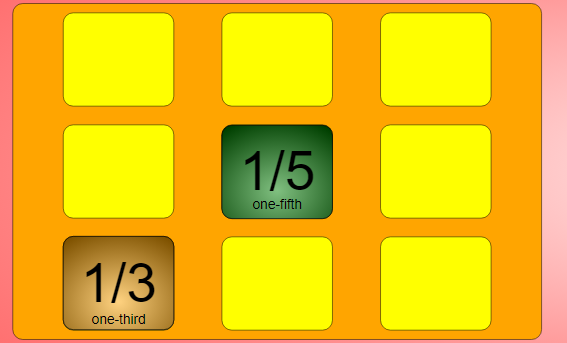
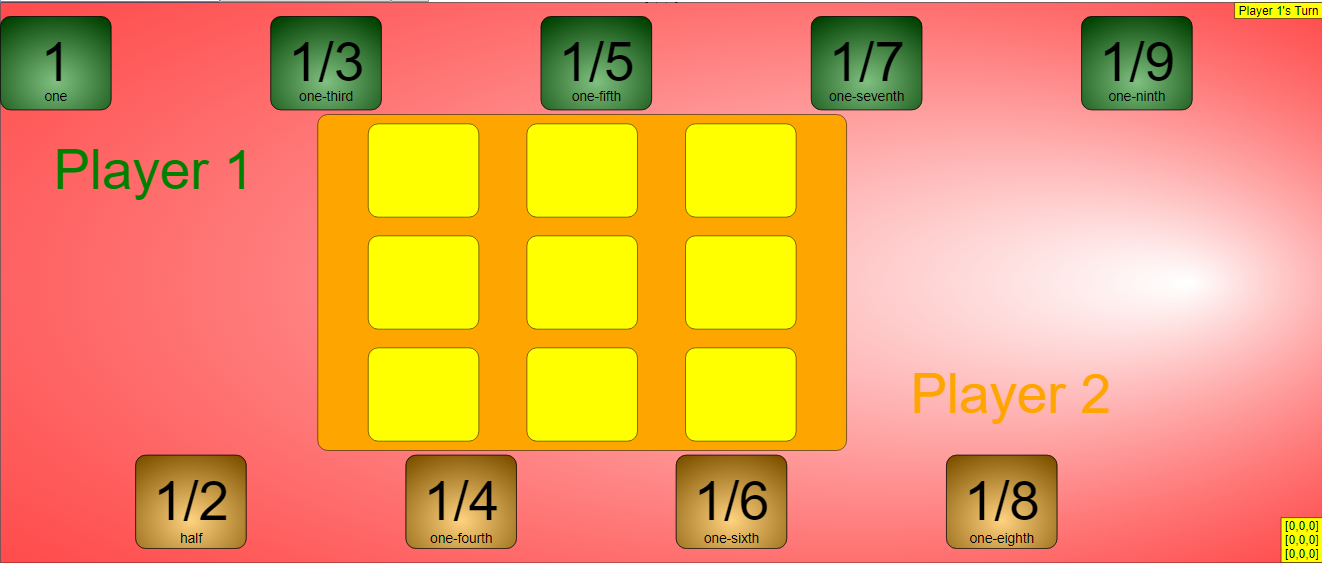
- Turn-Based Gameplay: The game follows a clear turn-based structure, with Player 1 starting by dragging their green cards onto the grid. The system includes a mechanism to prevent players from taking turns out of sequence, indicated by a pop-up message and the card returning to its initial spot.
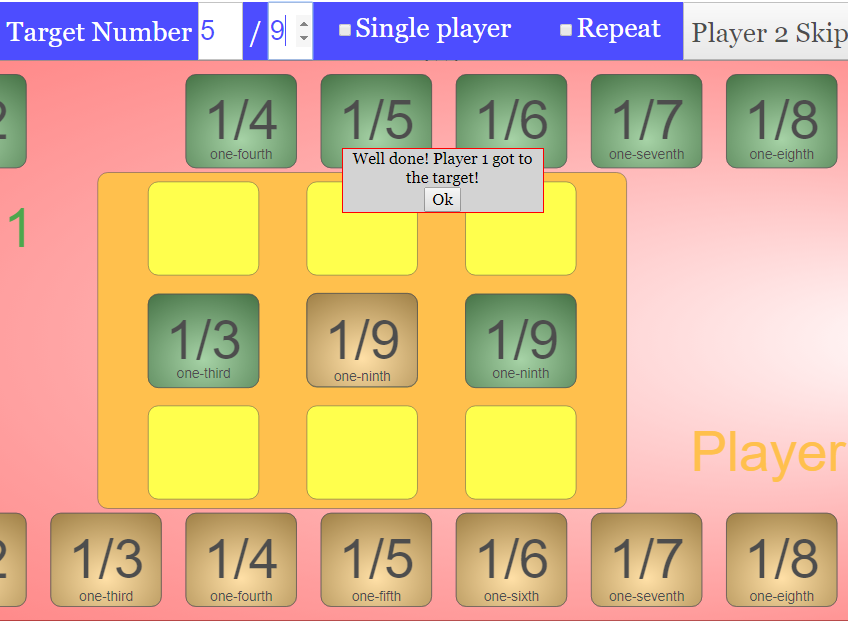
- Reaching the Target: The objective of the game is for a player to be the first to achieve the target number by strategically placing their fraction cards in a row. An example provided shows "Player 1 reaching target number 5/9."
- Multiple Game Modes for Enhanced Learning: Beyond the normal two-player game, the applet offers several other modes to cater to different learning needs:
- Single Player Mode: Allows individual practice and exploration.
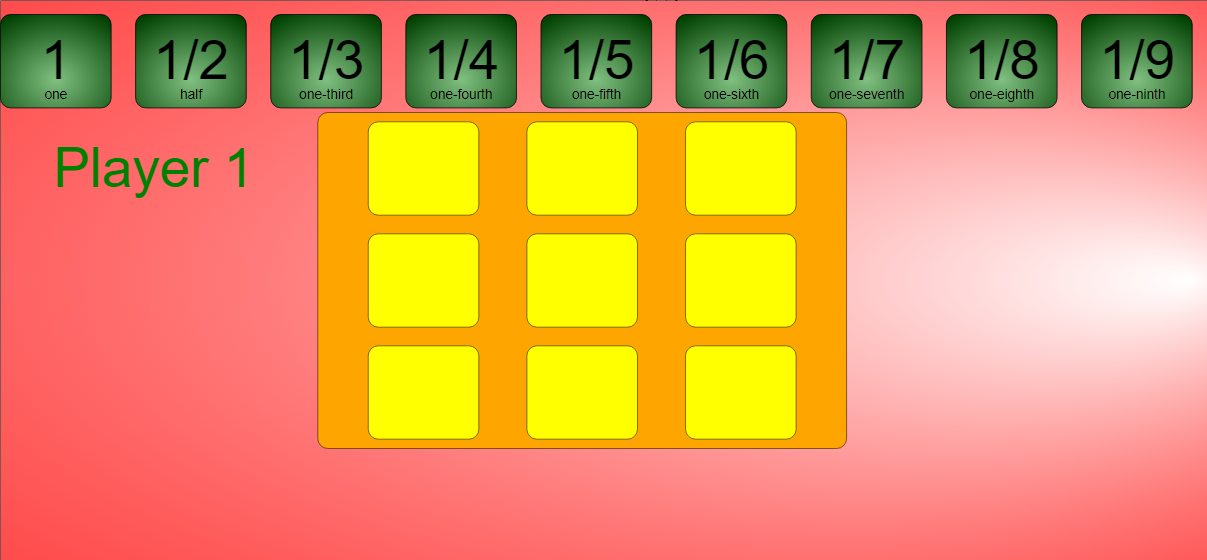
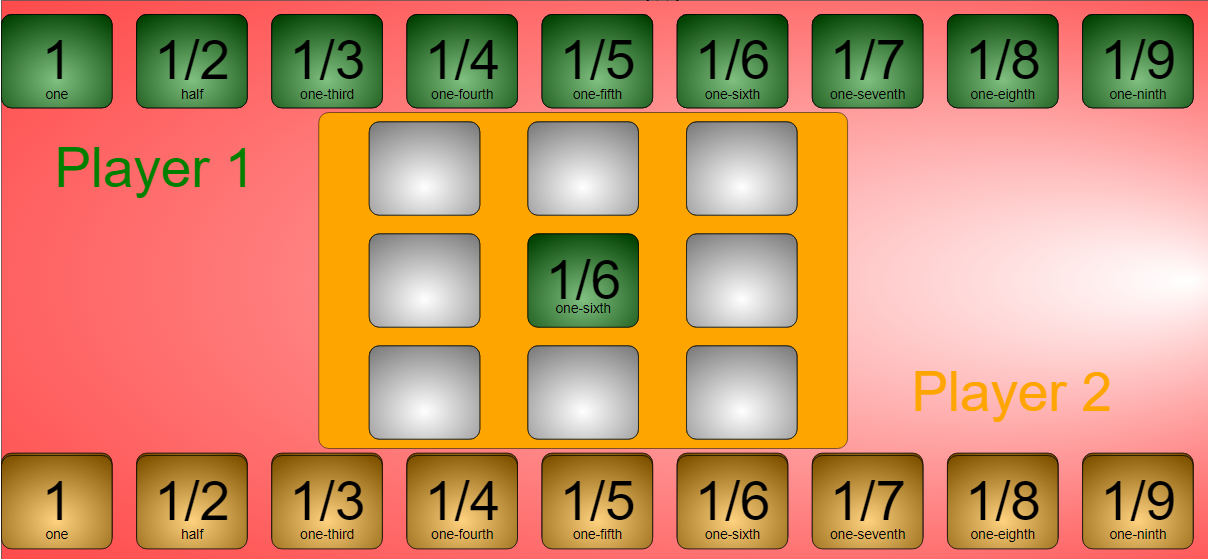
- Repeat Mode: Enables the reuse of the same cards, potentially focusing on strategic placement and repeated addition. The interface visually indicates this mode by turning the cells white.
- Skip: Provides a mechanism to bypass a player's turn for various pedagogical reasons.
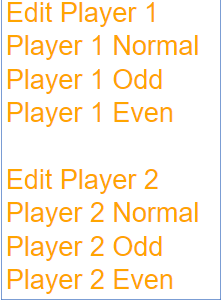
- Edit Players' Cards Mode: A powerful feature that allows customization of each player's deck. This includes setting a customisable range (1-9) for the numbers on the cards, and even selecting specific number types (e.g., Player 1 Odd, Player 2 Even). This mode offers significant potential for differentiated instruction and targeted practice.
- User-Friendly Interface: The instructions are clearly laid out in a step-by-step manner, making the game easy to understand and play. The drag-and-drop interaction for placing cards is intuitive.
- Embeddable Resource: The provision of an embed code (<iframe width="100%" height="100%" src="https://iwant2study.org/lookangejss/math/ejss_model_tictactoefractionsfrem/tictactoefractionsfrem_Simulation.xhtml " frameborder="0"></iframe>) allows teachers and educators to seamlessly integrate the game into their own webpages or learning management systems.
- Credits and Contributing Authors: The resource acknowledges the developers, Fremont Teng and Wee Loo Kang, providing credit for their work.
- Part of a Larger Collection: The "Bing Bang Go Fraction Game" is listed amongst a wide array of other interactive resources covering various topics in mathematics and physics, highlighting the breadth of materials available on the platform.
3. Key Quotes:
- On the objective: "By setting the target number, the first player who reach this number diagonally, vertically or horizontally in a row will win. The target number can be a whole number or a fraction, depending on the user's choice."
- On gameplay mechanics: "Player 1 will begin first by dragging the green cards to the respective cell. (Dragging 1/5 into the centre.) (A pop up occurs) Note that if Player 2 attempts to place their cardsduring Player 1 's Turn, a pop up will occur. This will automatically send the card back to their initial spot."
- On the winning condition: "The game ends when one of the player reaches the target number first either Horizontally, Vertically or Diagonally. ( Player 1 reaching target number 5/9)"
- On Repeat Mode: "Allows you to repeatedly use the same cards. Note that the cells will turn white to show repeat mode being toggled on."
- On Edit Players' Cards Mode: "Toggling this will enable to alter each player's decks. (Edit Player 1 selected - Allows you to customise the first and last number of the deck) Note that the customisable range is from 1-9 (Player 1 Odd and Player 2 Even selected)"
4. Potential Use Cases:
- Classroom Activities: Teachers can use this game as an engaging activity to reinforce fraction concepts, addition, and strategic thinking.
- Individual Practice: Students can use the single-player mode or practice with peers to improve their understanding of fractions.
- Differentiated Instruction: The "Edit Players' Cards Mode" allows teachers to tailor the game to different learning needs and focus on specific fraction skills.
- Remote Learning: The embeddable nature of the applet makes it suitable for integration into online learning platforms.
- Gamified Learning: The game format can increase student motivation and engagement with mathematical concepts.
5. Conclusion:
The "Bing Bang Go Fraction Game JavaScript Simulation Applet HTML 5" is a valuable open educational resource for mathematics educators. Its interactive nature, flexible game settings, and multiple game modes offer a fun and effective way for students to learn and practice working with fractions. The embeddability of the applet further enhances its utility for integrating into various learning environments. The inclusion of customizable card decks is a particularly strong feature that supports differentiated instruction.
Briefing Document: Bing Bang Go Fraction Game JavaScript Simulation Applet HTML 5
Date: October 26, 2023 Subject: Review of the "Bing Bang Go Fraction Game JavaScript Simulation Applet HTML 5" Open Educational Resource Source: Open Educational Resources / Open Source Physics @ Singapore (two identical excerpts provided)
1. Introduction:
This briefing document summarizes the key features and functionalities of the "Bing Bang Go Fraction Game JavaScript Simulation Applet HTML 5," an interactive educational resource hosted by Open Educational Resources / Open Source Physics @ Singapore. This resource is designed for mathematics education, specifically focusing on fractions and number sense, presented in a game format. The applet is built using JavaScript and HTML5, allowing for embedding in webpages.
2. Main Themes and Important Ideas:
- Interactive Learning Tool for Fractions: The primary purpose of this resource is to provide an engaging and interactive way for students to learn about and work with fractions. By framing fraction manipulation within a game context, it aims to make learning more enjoyable and effective.
- Tic-Tac-Toe with a Fractional Twist: The game mechanics are based on the familiar Tic-Tac-Toe format. However, instead of simply placing Xs and Os, players manipulate fraction cards to reach a predetermined target number in a row (horizontally, vertically, or diagonally).
- Target Number Flexibility: The game allows users to set a "target number," which can be either a whole number or a fraction. This flexibility enables the game to be adapted for different learning levels and objectives.
- Turn-Based Gameplay: The game follows a clear turn-based structure, with Player 1 starting by dragging their green cards onto the grid. The system includes a mechanism to prevent players from taking turns out of sequence, indicated by a pop-up message and the card returning to its initial spot.
- Reaching the Target: The objective of the game is for a player to be the first to achieve the target number by strategically placing their fraction cards in a row. An example provided shows "Player 1 reaching target number 5/9."
- Multiple Game Modes for Enhanced Learning: Beyond the normal two-player game, the applet offers several other modes to cater to different learning needs:
- Single Player Mode: Allows individual practice and exploration.
- Repeat Mode: Enables the reuse of the same cards, potentially focusing on strategic placement and repeated addition. The interface visually indicates this mode by turning the cells white.
- Skip: Provides a mechanism to bypass a player's turn for various pedagogical reasons.
- Edit Players' Cards Mode: A powerful feature that allows customization of each player's deck. This includes setting a customisable range (1-9) for the numbers on the cards, and even selecting specific number types (e.g., Player 1 Odd, Player 2 Even). This mode offers significant potential for differentiated instruction and targeted practice.
- User-Friendly Interface: The instructions are clearly laid out in a step-by-step manner, making the game easy to understand and play. The drag-and-drop interaction for placing cards is intuitive.
- Embeddable Resource: The provision of an embed code (<iframe width="100%" height="100%" src="https://iwant2study.org/lookangejss/math/ejss_model_tictactoefractionsfrem/tictactoefractionsfrem_Simulation.xhtml " frameborder="0"></iframe>) allows teachers and educators to seamlessly integrate the game into their own webpages or learning management systems.
- Credits and Contributing Authors: The resource acknowledges the developers, Fremont Teng and Wee Loo Kang, providing credit for their work.
- Part of a Larger Collection: The "Bing Bang Go Fraction Game" is listed amongst a wide array of other interactive resources covering various topics in mathematics and physics, highlighting the breadth of materials available on the platform.
3. Key Quotes:
- On the objective: "By setting the target number, the first player who reach this number diagonally, vertically or horizontally in a row will win. The target number can be a whole number or a fraction, depending on the user's choice."
- On gameplay mechanics: "Player 1 will begin first by dragging the green cards to the respective cell. (Dragging 1/5 into the centre.) (A pop up occurs) Note that if Player 2 attempts to place their cardsduring Player 1 's Turn, a pop up will occur. This will automatically send the card back to their initial spot."
- On the winning condition: "The game ends when one of the player reaches the target number first either Horizontally, Vertically or Diagonally. ( Player 1 reaching target number 5/9)"
- On Repeat Mode: "Allows you to repeatedly use the same cards. Note that the cells will turn white to show repeat mode being toggled on."
- On Edit Players' Cards Mode: "Toggling this will enable to alter each player's decks. (Edit Player 1 selected - Allows you to customise the first and last number of the deck) Note that the customisable range is from 1-9 (Player 1 Odd and Player 2 Even selected)"
4. Potential Use Cases:
- Classroom Activities: Teachers can use this game as an engaging activity to reinforce fraction concepts, addition, and strategic thinking.
- Individual Practice: Students can use the single-player mode or practice with peers to improve their understanding of fractions.
- Differentiated Instruction: The "Edit Players' Cards Mode" allows teachers to tailor the game to different learning needs and focus on specific fraction skills.
- Remote Learning: The embeddable nature of the applet makes it suitable for integration into online learning platforms.
- Gamified Learning: The game format can increase student motivation and engagement with mathematical concepts.
5. Conclusion:
The "Bing Bang Go Fraction Game JavaScript Simulation Applet HTML 5" is a valuable open educational resource for mathematics educators. Its interactive nature, flexible game settings, and multiple game modes offer a fun and effective way for students to learn and practice working with fractions. The embeddability of the applet further enhances its utility for integrating into various learning environments. The inclusion of customizable card decks is a particularly strong feature that supports differentiated instruction.
Sample Learning Goals
[text]
For Teachers
Bing Bang Go Fraction JavaScript Simulation Applet HTML 5
Instructions
For Normal Game Play
Step 1: Set a target number

Step 2: Player 1 Starts
Step 2: Player 2's Turn
Step 3: Continue playing until Target is reached
Other Game Modes
Single Player Mode
Repeat Mode

Skip

Edit Players' Cards Mode

Toggling Full Screen
Reset Button

Research
[text]
Video
[text]
Version:
Other Resources
[text]
Frequently Asked Questions: Bing Bang Go Fraction Game
What is the Bing Bang Go Fraction Game?
The Bing Bang Go Fraction Game is a JavaScript simulation applet in HTML5 format. It's an interactive mathematics game, specifically a Tic-Tac-Toe style game focused on fraction addition. The goal for players is to be the first to reach a set target number (which can be a whole number or a fraction) by strategically placing fraction cards onto a grid to form a horizontal, vertical, or diagonal line that sums to the target.
How do you play the normal version of the Bing Bang Go Fraction Game?
In the normal game mode, the first step is to set a target number. Player 1 starts by dragging their green fraction cards onto the grid. A pop-up will occur if Player 2 tries to play during Player 1's turn, and their card will be returned. Then it's Player 2's turn to place their cards. Players alternate turns until one player has a row (horizontal, vertical, or diagonal) of their fractions that add up to the pre-set target number.
What other game modes are available in the Bing Bang Go Fraction Game?
Besides the normal two-player mode, the game offers several other modes:
- Single Player Mode: Allows a user to play the game independently.
- Repeat Mode: Enables players to use the same cards multiple times. When this mode is active, the grid cells will turn white.
- Skip: Permits a player to miss their current turn.
- Edit Players' Cards Mode: Allows customization of each player's deck of fraction cards. Users can set the starting and ending numbers for the range of fractions available to each player (with a customizable range of 1-9, and options for Player 1 to have odd and Player 2 to have even numbered fractions).
How can I interact with the Bing Bang Go Fraction Game?
The game is interactive and primarily controlled through dragging and dropping. Players drag their available fraction cards from their designated area onto the cells of the game grid. There are also buttons for other functionalities like resetting the game, toggling full screen (by double-clicking), and potentially activating other game modes or editing options.
Can this game be embedded on other webpages?
Yes, the Bing Bang Go Fraction Game can be embedded into other webpages using the provided iframe code. This allows educators and users to integrate the interactive game directly into their online learning platforms or websites.
What are the educational benefits or learning goals of this game?
While specific learning goals are noted as "[text]" in the provided information, it can be inferred that the game is designed to help learners practice and understand fraction addition in a fun and engaging way. The strategic element of trying to form a winning line also encourages critical thinking and planning. The ability to set target numbers (whole or fractional) allows for adaptable difficulty.
Who created the Bing Bang Go Fraction Game and where is it from?
The Bing Bang Go Fraction Game was created by Fremont Teng and Wee Loo Kang. It is provided by Open Educational Resources / Open Source Physics @ Singapore.
Is the Bing Bang Go Fraction Game free to use and are there any licensing considerations?
The content on the Open Educational Resources / Open Source Physics @ Singapore website, including the Bing Bang Go Fraction Game, is licensed under the Creative Commons Attribution-Share Alike 4.0 Singapore License. For commercial use of the underlying EasyJavaScriptSimulations Library, separate terms and conditions apply, as detailed on the provided link and by contacting This email address is being protected from spambots. You need JavaScript enabled to view it. directly. This suggests the game is likely free for non-commercial educational use, but commercial applications require adherence to the EJS Library license.